

Case #005 – Error 8541 Explained: When Amazon Blocks Updates You’re Allowed to Make
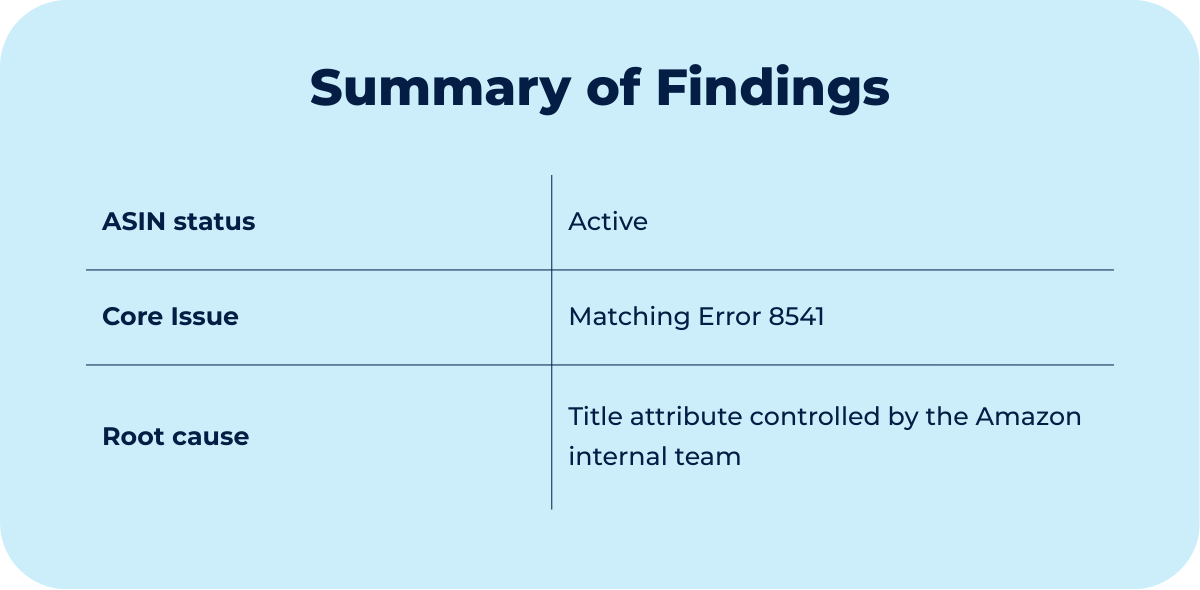
A seller attempted to update two incorrect product titles. The change was valid, but every submission returned with error 8541, blocking the update entirely.


Context
When a listing looks editable, but isn’t
The seller, in this case, wasn’t trying to optimize, rebrand, or overhaul anything. They were just trying to change a title, and Amazon wouldn’t let them.
The titles for two listings were inaccurate and needed to be corrected to reflect the actual product configuration. There were no policy violations, no suppressions, and no content restrictions visible in Seller Central.
Every time the seller attempted the update, they ran into the same thing:
Error 8541.
They tried manual edits, flat files, and full product updates, but the system kept returning the same result. Seller Support repeatedly responded with the standard instruction to submit the change and wait 24 hours.
Most sellers, at this point, assume they are doing something wrong. They edit again, reupload again, wait again, and reopen cases that only produce the same advice.
However, the failure here was not due to how the seller submitted the content. The issue was that they did not actually control the attribute.
Seller Central does not reliably surface who truly controls an attribute at the catalog level, and even when a seller is the brand owner and ASIN creator, internal Amazon systems can still override contribution authority.
The only way to understand what was happening was to stop looking at the edit mechanisms and start looking at how Amazon decides whose version of the catalog wins.
Diagnostic
Why the title couldn’t be changed, even though the seller is the owner
This case met the baseline requirements needed to resolve a matching error.
The seller was:
The brand owner
Enrolled in Brand Registry
The original creator of the ASINs
Editing the original SKUs
Those conditions matter because, without them, Amazon will not release or reassign contribution authority in matching error cases.
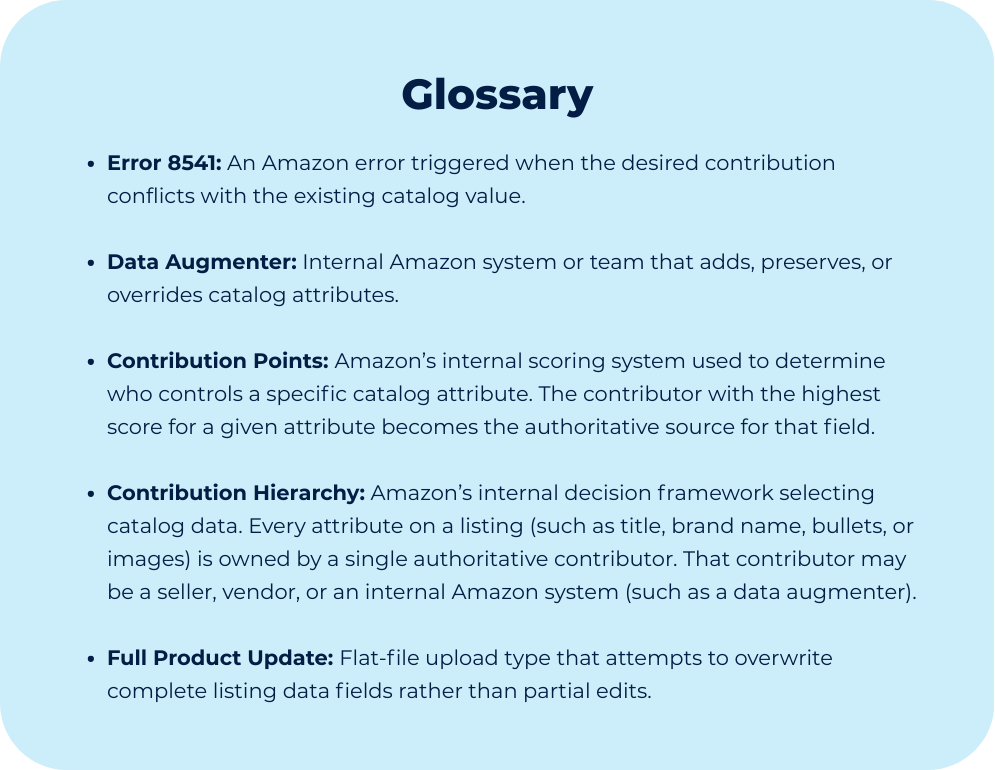
It is worth noting that Error 8541 is classified by Amazon as a “matching error”. It is not random and not a formatting issue. It appears when Amazon rejects a contribution because it conflicts with a more authoritative data source already present in the catalog.
Amazon’s catalog runs on a contribution hierarchy. Every contributor—whether a seller, brand owner, vendor, or internal Amazon system—is assigned contribution authority, which you can think of as points. Each attribute of a listing (title, brand name, bullets, images, etc.) is controlled by a single authoritative contributor.
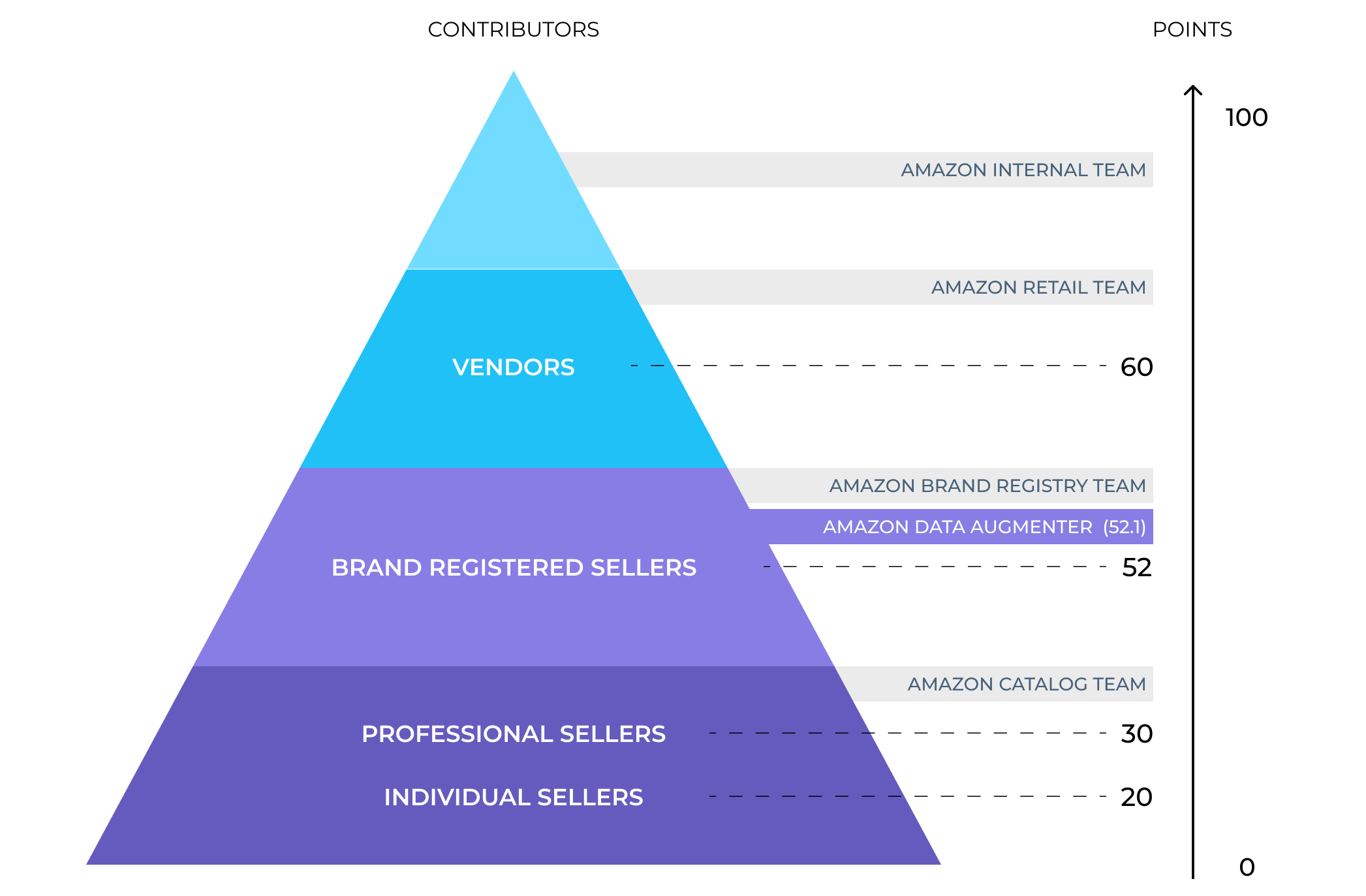
When multiple values exist for the same attribute, Amazon does not merge them or review them manually. The system simply selects the contributor with the highest authority and automatically rejects all others.
A data augmenter is an automated or semi-automated system that creates or protects catalog data. It can standardize information, replicate legacy data, add translations, or preserve earlier catalog contributions that Amazon considers reliable.
When a data augmenter owns an attribute,
Seller updates are rejected automatically
Flat files fail
Manual updates don’t stick
“Wait 24 hours” never changes anything
regardless of what Seller Central visually displays.
Based on our experience handling hundreds of catalog cases, the authority gap between a Brand Registered seller and a data augmenter is often extremely small. In practical terms, you can think of it like this:
Brand Registered Seller authority: 52 points
Data augmenter authority: 52.1 points
Amazon assigns data augmenters just enough priority to win, sometimes by as little as a fraction of a point. That tiny margin is enough for the system to block every seller attempt.
This is why clarifying attribute ownership first is critical. Without doing that, retries are pointless.
In this case, there was nothing wrong with the title the seller submitted. The seller simply did not hold final contribution authority for that attribute. The data augmenter did.
Until that ownership is released or reset, no manual edits, flat files, or waiting periods will ever succeed. Ownership had to be fixed before the title could be updated.
Thought Process
How to identify the real lever in an Error 8541
Most sellers in this situation try new tactics instead of changing the question. They adjust formatting, switch templates, delete and relist listings, or wait through repeated 24-hour refresh cycles.
That instinct is understandable because Amazon’s own guidance pushes sellers in that direction. But this approach assumes the problem lives in the submission process, when in many cases, it doesn’t.
The better starting point is a different question:
Who actually controls the attribute you are trying to edit?
From experience, we know that when a seller submits correct content, follows all visible requirements, and still sees every update rejected, across both manual edits and flat files, the issue is rarely the SKU itself. In those cases, Amazon is enforcing catalog-level ownership, where an internal system holds higher authority than the seller.
That distinction determines how the problem should be tested.
The fastest way to separate a SKU-level issue from a catalog ownership issue is a controlled deletion and relisting. This is not done as a blind fix, but as a diagnostic step. If the error is caused by corrupted or stuck SKU data, removing and recreating the listing usually clears it.
When the error persists after that reset, it signals that the conflict does not live at the SKU level at all. It exists higher in the catalog hierarchy, where authoritative contributions override seller input by design.
At that point, continuing to retry the same actions stops being troubleshooting and starts becoming delay.
If simple actions work, they work quickly.
If they don’t, repeating them does not increase the odds of success.
One additional insight shaped the final direction of the case:
When the issue is framed as “I can’t edit my title,” Seller Support treats it as a routine edit failure and responds with generic instructions.
When the issue is framed as a catalog contribution conflict, the case is routed to teams that actually control contribution authority.
That reframing, not persistence, was the real lever. It shifted the problem from a surface-level edit request to a catalog-level ownership issue, which is what ultimately unlocked the solution.
