

Case #035 - ⚠️ Two ASINs and one EPA number Amazon still could not verify
Two ASINs were flagged for a missing EPA number, but the number was already on file, it simply didn't match.

If you’re new here, welcome.
If you’ve been reading for a while, thank you for being here.
Each week, OSS Lab breaks down one real Amazon case from the field. Not to share tactics, but to decode how Amazon’s system actually behaves and what to do when it breaks.
All past cases live in a single searchable archive, built to help you identify recurring patterns across time.

OSS LAB is powered by Online Seller Solutions, the Amazon operational team behind the cases we publish, working directly inside Seller Central to resolve complex operational issues. Contact Online Seller Solutions to learn more about our Amazon services and how we can help resolve the issues affecting your account.
Context
An EPA number already on file
A seller we worked with created two new ASINs for the same product: one listed as a single unit and one as a two-pack.
Both shared the same formulation, and therefore the same EPA registration number.
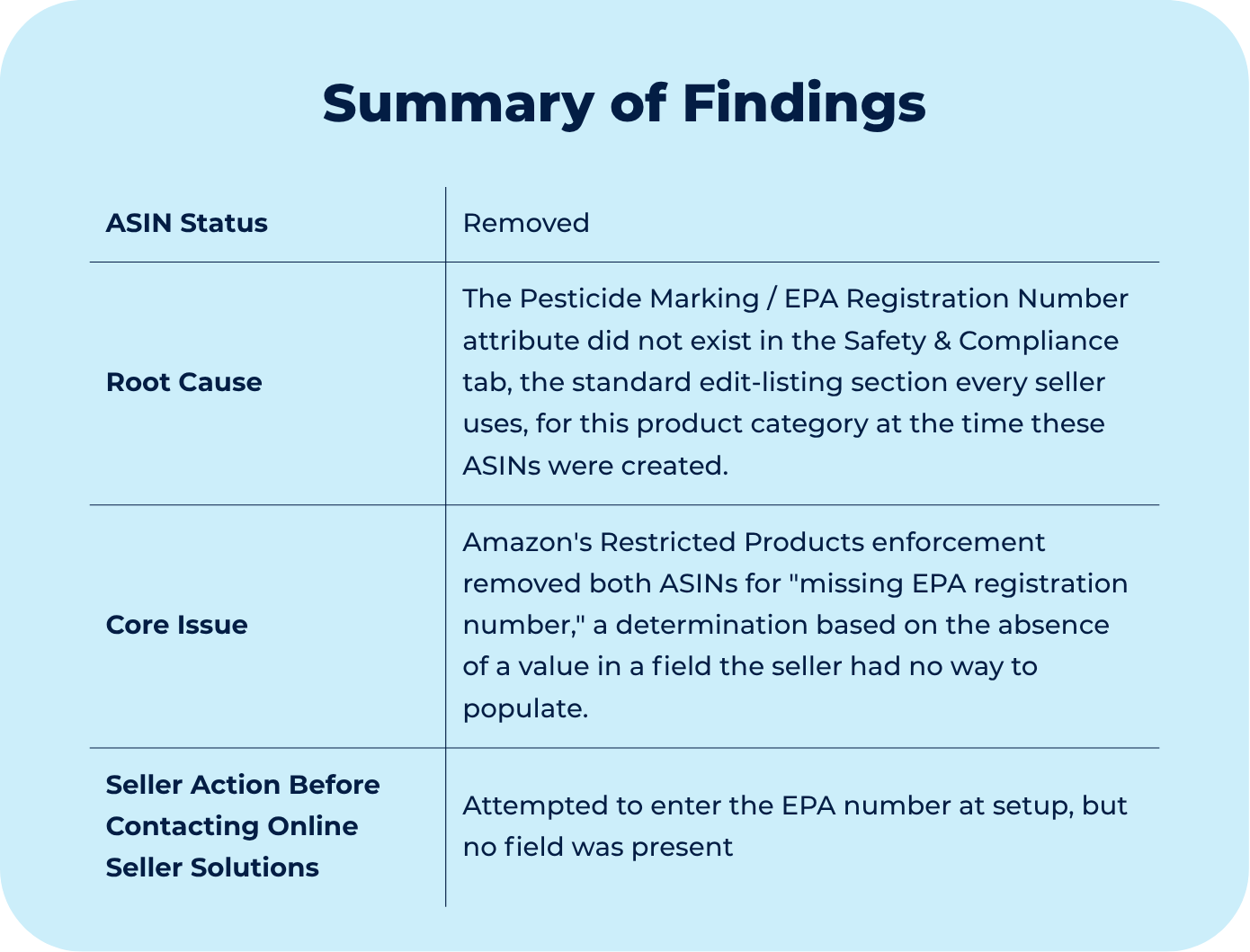
Shortly after the ASINs went live, Amazon’s compliance system removed both under the Restricted Products policy, citing a missing EPA registration number.
That framing was misleading because the EPA number was not missing; in fact, it was present in the backend catalog record, but it didn’t match the EPA number on the physical product.
So this case put most of its weight on confirming the correct number through the official page and cross-checking it against the label. Once the EPA registration number was verified, correcting the backend record became a separate obstacle, even though that field would normally be easy to update through a flat file or the “edit listing” section, it didn’t appear in either option.
Diagnostic
A mismatch mislabeled as an absence
To understand what was happening here, you need to know that two separate systems relate to EPA compliance on Amazon, and this case surfaced the gap between them.
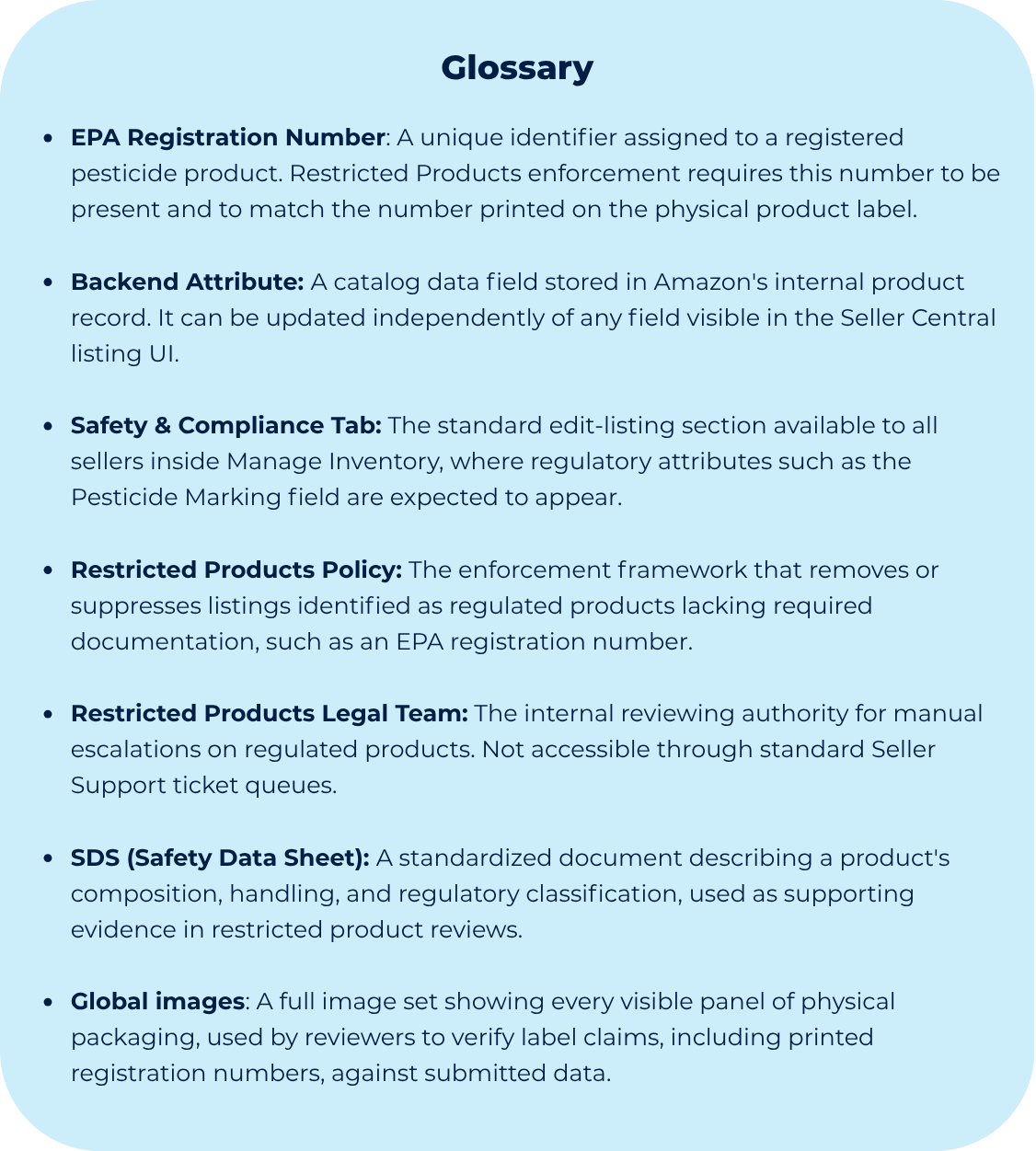
First, we have the Seller Central listing UI, which is the seller-facing layer that renders whatever attribute fields the category template includes at the time of ASIN creation.
For this specific category, no EPA field was present in that template, which meant the seller had no legitimate path to submit the number at listing time.
Then there is the backend catalog record, a separate layer that can hold attribute values, including an EPA registration number, even when no corresponding field exists in the UI, with the right knowledge, it can be updated directly, which is what happened here.
To make it even more complex, a third layer sits above both: the Restricted Products review process.
When a compliance flag reaches manual review, the reviewer does not simply confirm that a number exists in the backend record. The reviewer cross-references the submitted number against the number printed on the physical product label.
For [ASIN-1], which was the single pack, the number in the backend record did not match the number on the label, and the appeal was rejected on that basis alone.
That was happening because the listing UI, the backend attribute, and the physical label are three independent sources of truth, and Amazon’s enforcement engine only treats the case as resolved when all three agree, sadly, a mismatch in any one of them halts the process regardless of how the other two are configured.
If you are dealing with a Restricted Products flag where the required attribute field does not exist in your listing template, or where a reinstatement was rejected over a data mismatch you cannot see from the seller side, we can help you identify the correct escalation path and verify the record before resubmitting.
Though Process
Verify the number before chasing the flag
Since the flag was related to a missing EPA registration number, but we knew it was incorrect, we wouldn’t resubmit a number that was, in fact, already on file.
So first move was to stop trusting the flag’s wording and instead verify what value actually sat in the backend record against what was printed on the physical product.
That verification step mattered more than any single case submission.
A mismatch between the backend value and the label is a different problem than an absent value, and treating it as the wrong one wastes case cycles without moving the flag.
Once the mismatch was confirmed, the next obstacle was contacting a Seller Support agent who could review the case without repeating the general instructions for uploading an EPA number, but they could write directly to the backend attribute. Getting to someone who could make the change required going back through the case multiple times, since access to that specific field is limited to a narrower set of specialists than the ones who typically handle first-line Restricted Products inquiries.
This is worth planning for in similar cases. A correction that depends on a backend-level attribute should be expected to take more than one contact, because the representatives who are equipped to make that specific change are not always the first line of contact.
Want to see how the case was actually resolved?
Premium subscribers get access to the full breakdown, including:
The exact order of operations to follow, from verifying the EPA registration number against the physical label through final reinstatement
The evidence required for manual review, including six-sided real-world product images and the SDS
The case and escalation wording used when the EPA registration field is missing from the listing UI
The “What This Teaches You” section, which explains how to approach compliance cases where a required attribute exists in Amazon’s backend but not in the seller-facing interface
The entire archive of every premium OSS Lab case study published to date, instantly unlocked
Additional Amazon system behaviors, enforcement patterns, and operational intelligence available exclusively to OSS Lab members
