

Case #028 - 🧪 The compliance field that vanished mid edit
A seller held a valid EPA registration, yet the field to enter it had disappeared from the listing editor, while the category still supported it.

If you’re new here, welcome.
If you’ve been reading for a while, thank you for being here.
Each week, we break down one real Amazon case from the field. Not to share tactics, but to decode how Amazon’s system actually behaves and what to do when it breaks.
All past cases live in a single searchable archive, built to help you identify recurring patterns across time.

Context
The seller had the EPA number
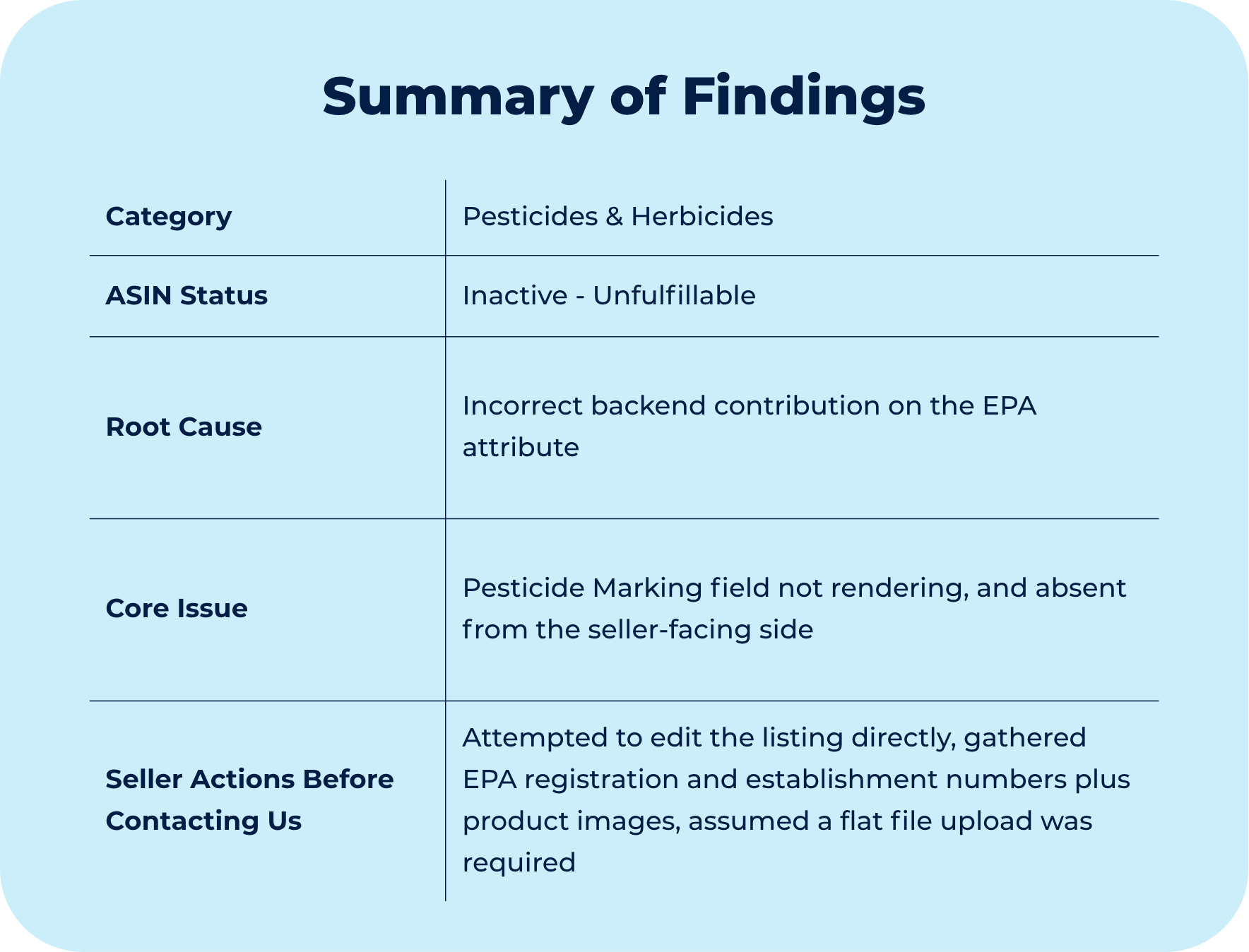
A seller reached out about a regulated product, an EPA registered herbicide, that Amazon had flagged under its restricted product policy violations.
The flag itself was reasonable.
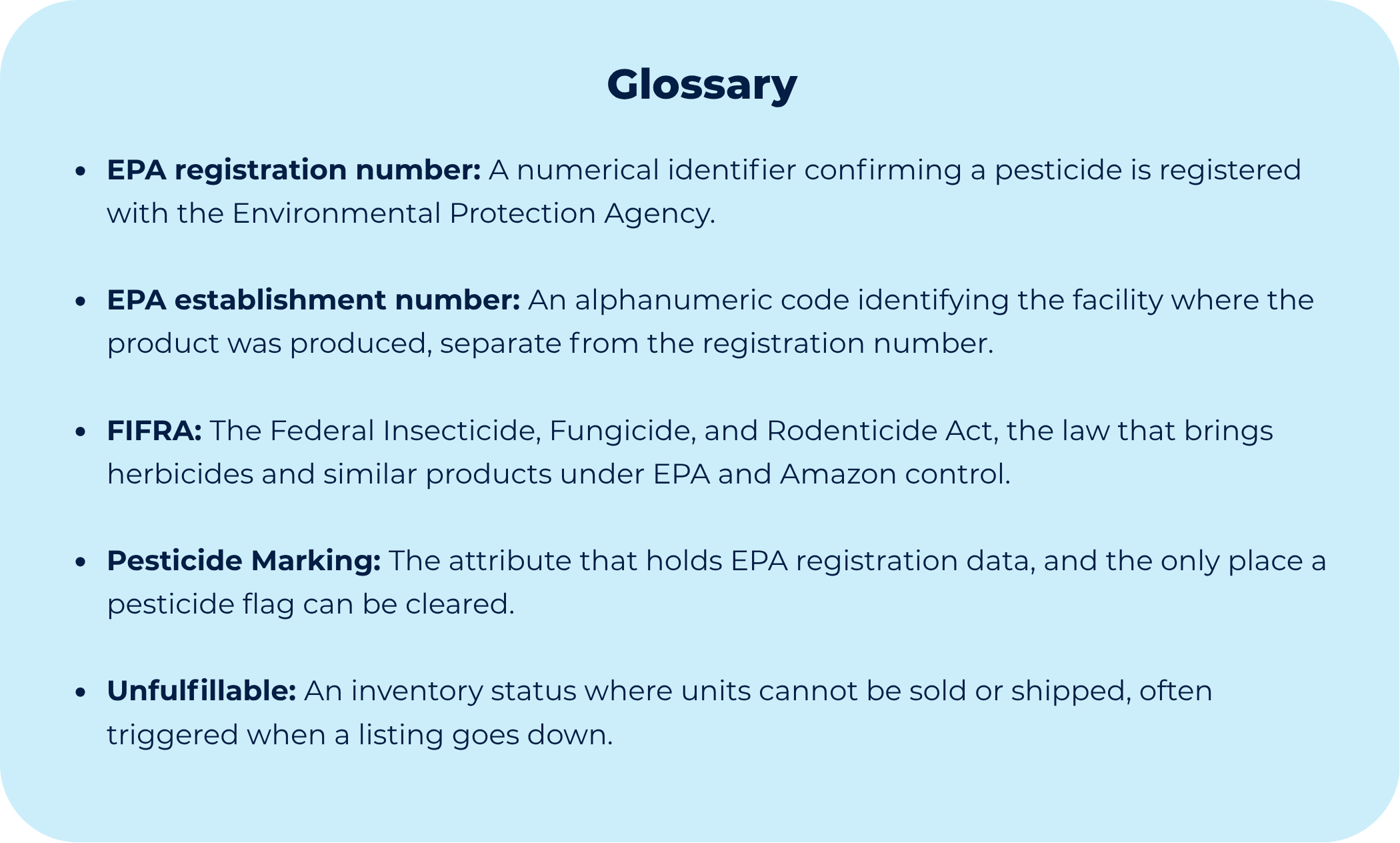
Amazon classifies herbicides as pesticides under FIFRA, the federal law governing these products, so every such listing must carry EPA data in a dedicated attribute called Pesticide Marking. A listing that lacks that data is treated as prohibited by default, which is exactly the state Amazon read on this ASIN.
The thing is, the seller was not missing any credentials.
They held a valid EPA registration number, the numerical identifier Amazon requires, plus an establishment number, the alphanumeric code tied to the manufacturing site.
The problem appeared at the moment of entry, the Pesticide Marking field where that data belonged was no longer visible in the listing editor.
Working from that, the seller assumed the update had to be pushed through a flat file, which was a fair read, since flat files often surface fields the interface does not render.
That logic held until we looked at where the field’s visibility was actually being decided, and the cause sat in the backend record, not in the editing method.
Diagnostic
Amazon hid the field
The first thing we did was read the violation notice against the policy it came from, not against the listing.
The notice traced back to Amazon’s restricted product policy, which exists to keep unsafe or non-compliant products off the marketplace and places the burden of compliance on the seller before listing.
Related to that policy sits a specific section for pest control products and pesticides, governed by FIFRA, and that section is where the product fell.
That section is unusually precise about what compliance looks like.
The policy is direct about this. A pesticide listing has to show a valid EPA registration or establishment number in the Pesticide Marking attribute, and a listing missing that information counts as prohibited on its own.
So the violation was not about the product, it was about one empty field.
That pointed us straight to the EPA data, not anywhere else on the page, so we checked how that value was stored in the backend and found a faulty entry on the EPA attribute, one that did not match the format Amazon expected.
The field itself was fine at the category level, and similar listings still offered it, so the category was not the problem.
The trouble was specific to this record. Amazon could not make sense of the stored value, so it hid the field instead of showing a broken one, which is why the seller saw the violation notice but never saw the field that would clear it.
For more information about the specific policies mentioned, check the following Amazon sources:
If you are dealing with a listing that will not accept compliance data, or a required field that has gone missing from your editor, we can run a diagnostic to locate the conflict and tell you whether a path forward exists.
Contact Online Seller Solutions here.
Though Process
The category wasn’t the issue
We did not start with a flat file upload.
Because pushing the same EPA value into a backend that was already rejecting it would have repeated the conflict rather than resolving it. We were also careful about where that value would land, because field placement carries its own risk on pesticide listings.
EPA data has exactly one correct home, the Pesticide Marking attribute.
When the same information is scattered into other unrelated fields, Amazon’s automated systems can read the listing as incorrectly formatted, since the compliance data is no longer where the schema expects it to be.
Worse, it can create an apparent contradiction, one field seems to affirm the EPA compliance that the Pesticide Marking attribute reports as missing, and that mismatch is the kind of signal that enforcement models treat as a malformed or untrustworthy listing.
So a blind flat-file push risked writing the value in the wrong place and producing exactly that conflict.
So we held off and looked at the category next.
Before treating a category misassignment as the cause, we compared the ASIN to peers in the same category, and those peers still carried the attribute option. That single comparison ruled the category out and pointed us toward a record level conflict on this specific listing.
Once the cause was isolated, the correct lever became clear.
The attribute did not exist on the seller-facing side, so neither the Edit Info page nor a flat file could access it, and the fix had to be implemented in Amazon’s backend with the help of a specific Amazon team.
Here's What You'll Find Below:
The exact signal that tells you a field is suppressed by a conflict rather than truly absent from the category
How do we separate a category misassignment from a flat file contribution conflict before spending a single action
The escalation path we used to correct a backend attribute that the seller-facing tools could not reach
The “What This Teaches You” section, where we extract the larger Amazon pattern behind the case.
The entire archive of every premium OSS Lab case study we’ve published, instantly unlocked.
Additional Amazon system behaviors, enforcement patterns, and operational intelligence we reserve exclusively for OSS Lab members.
