

Case #017 - 👀 Amazon locked a field you are allowed to see but not touch
Imagine you are moving out and the Business Location field is locked. The country field cannot be changed. And the reason has nothing to do with the UI.

If you’re new here, welcome.
If you’ve been reading for a while, thank you for being here.
Each week, we break down one real Amazon case from the field. Not to share tactics, but to decode how Amazon’s system actually behaves and what to do when it breaks.
All past cases live in a single searchable archive, built to help you identify recurring patterns across time.

Context
When a seller tries to update their company country
A seller was moving his company from Estonia to Hong Kong. Same owner. Same brand. Same products. Just a different country of incorporation.
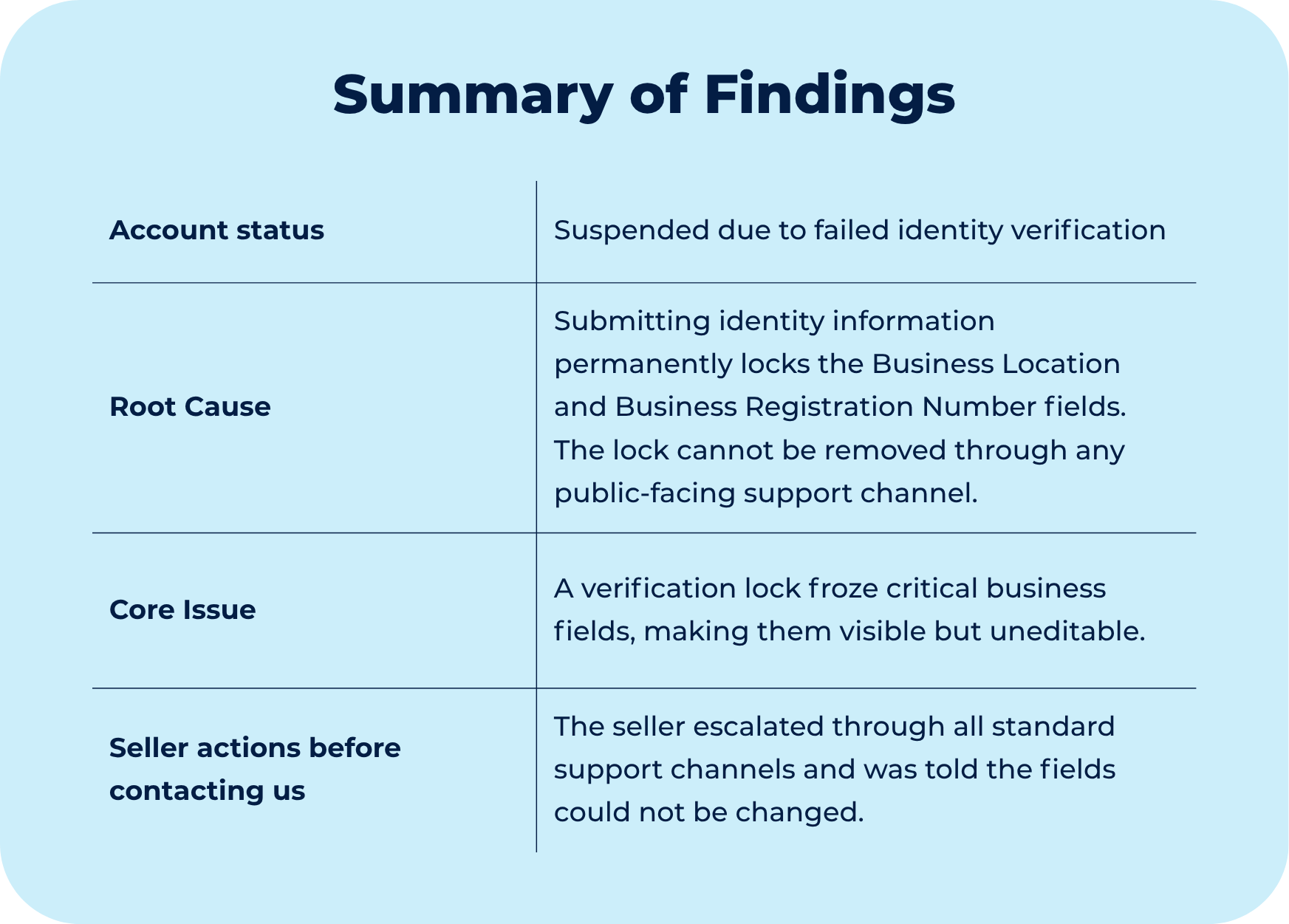
A seller’s account was suspended. Identity verification had failed. Amazon rejected his documents and asked him to resubmit. When he went back into Seller Central to fix his business information, two fields were completely grayed out: Business Location and Business Registration Number. He could not click them, type in them, or change them in any way.
This was not a surprise to Amazon. When you first create a Seller Central account, the platform warns you directly: “Business location cannot be changed. Please make sure the information is accurate.” Most sellers skip past it. It only matters when you actually need to change it.
The seller escalated. He went through Seller Support, Account Health, supervisors, advisors, and eventually the Seller Identity Verification team. Every single one of them gave the same answer: the Business Location field cannot be changed. There is nothing we can do.
They were not wrong. Amazon’s internal procedures say exactly that. Every associate who looked up this issue found the same documentation. The answer they gave was the accurate answer for the tools they had access to.
Diagnostic
Why the field locks and which fields are affected
When you submit business documents for verification, Amazon seals two specific fields: Business Location and Business Registration Number. They go gray. You can see them but you cannot edit them. Everything else on the Business Information page stays open. Just those two.
The lock is intentional. It exists to prevent fraud. Once someone submits identity documents, Amazon does not want those core fields touched until the review is complete. The problem is that the lock does not lift automatically when the review finishes. It stays until someone with the right access removes it.
The problem for legitimate sellers is that this same lock applies regardless of why you need to make a change. A company restructuring, a failed verification that used incorrect documents, a country change tied to an asset sale: none of these cases are treated differently by the system. The lock applies, and the system’s own procedures confirm it is permanent.
No standard support associate has that access. Seller Support, Account Health, and the Seller Identity Verification team all operate under documentation that says Business Location is a permanent field. That is not a mistake in the documentation. It reflects reality for everyone working at that level.
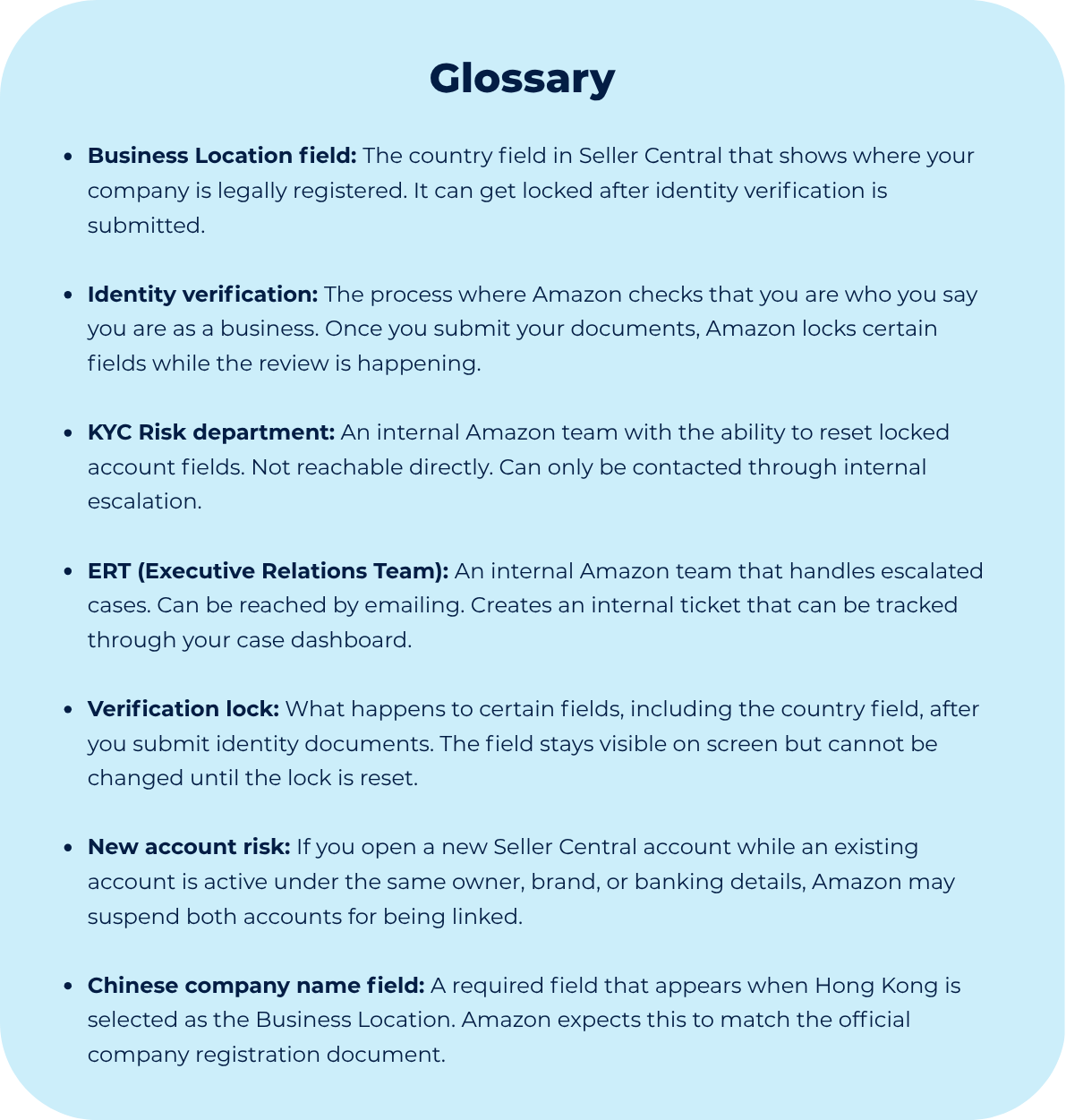
The Executive Relations Team is different. They sit outside the standard support structure. Specific associates within that team can perform a full reset of the Business Information page. That reset removes the lock completely and reopens both fields for a new submission.
There is no public documentation that describes this reset. Amazon does not advertise it. The only way to reach the people who can perform it is through a specific escalation path.
Most of the situations described in this case start before the lock appears.
The Business Information page is one of several areas in Seller Central that operators set once and never review again until something breaks.
If you want a second pair of eyes on your account before a move like this becomes a problem, we offer account setup and audit services built specifically for this kind of structural review.
Though Process
What to avoid before escalating
The natural first move is to contact Seller Support and escalate. This is worth doing, but it will not solve the problem. Seller Support agents work at the account level. They cannot access the verification record where the lock lives. When they say the field is permanent and suggest opening a new account, they are giving the most accurate answer available to them. They are not holding anything back.
Opening a new account is the most dangerous response to this situation. Amazon tracks connections between accounts: same owner, same brand, same bank details. When the system finds a new account linked to an existing one, it can suspend both. One locked field becomes two suspended accounts.
Running multiple open cases at the same time is also a problem. Each case creates a contact point in the system. When those contact points carry overlapping or conflicting requests, they can trigger review flags that slow everything down. One clear case at a time is faster.
There is an escalation path that reaches the team with the authority to perform this reset. It is not a fast channel. It opens a line of communication, not a guaranteed response window. Operators who treat it like a standard support ticket often stop following up too early, before the internal routing has had time to work. The response can arrive days or weeks after initial contact.
